 Public beta · iPhone · Singapore
FitMatch
Someone in your corner.
You're a good trainer, and your clients love you. Finding the next one is the hard bit. FitMatch brings you clients who match what you offer, then keeps sessions, plans and messages in one place.
30 days free for trainers and clients.
In a minute
Meet FitMatch.
Shown with invented sample data. Narration is a synthetic voice.
Read the narration
You're a good trainer, and your clients love you. Finding the next one, though… that's the hard bit.
So we made FitMatch. Clients who match what you offer send you requests, ready to read.
You choose who to take on.
Then agree a time and a place in a few taps. Weekly, if you like. And clients pay you directly, outside the app.
FitMatch drafts a first training plan from what they shared. You make it yours.
Clients, sessions, plans and messages… all in one place. Your spreadsheet can finally retire.
And for clients? Say what you want and where… then swipe right on the trainer who fits.
Share your workouts with your trainer, or keep them to yourself.
Your health details stay on this iPhone. They're never sent to FitMatch, trainers or anyone else.
FitMatch. Someone in your corner. Thirty days free… join the beta on TestFlight.
For trainers, in about two and a half minutes
See it in use.
Shown with invented sample data. Narration is a synthetic voice.
Read the narration
You're a good trainer, and your clients love you. Finding the next one, though… that's the hard bit. FitMatch brings them to you. Setting up takes five short steps, and everything saves as you go.
Say how you train and what you charge. One-to-one, small groups, or both. Clients filter on session type and budget, and they pay you directly, outside the app.
Pick what you specialise in. Matching uses these first.
Then where you train and your usual hours, plus an offer for new clients, like a free thirty-minute intro.
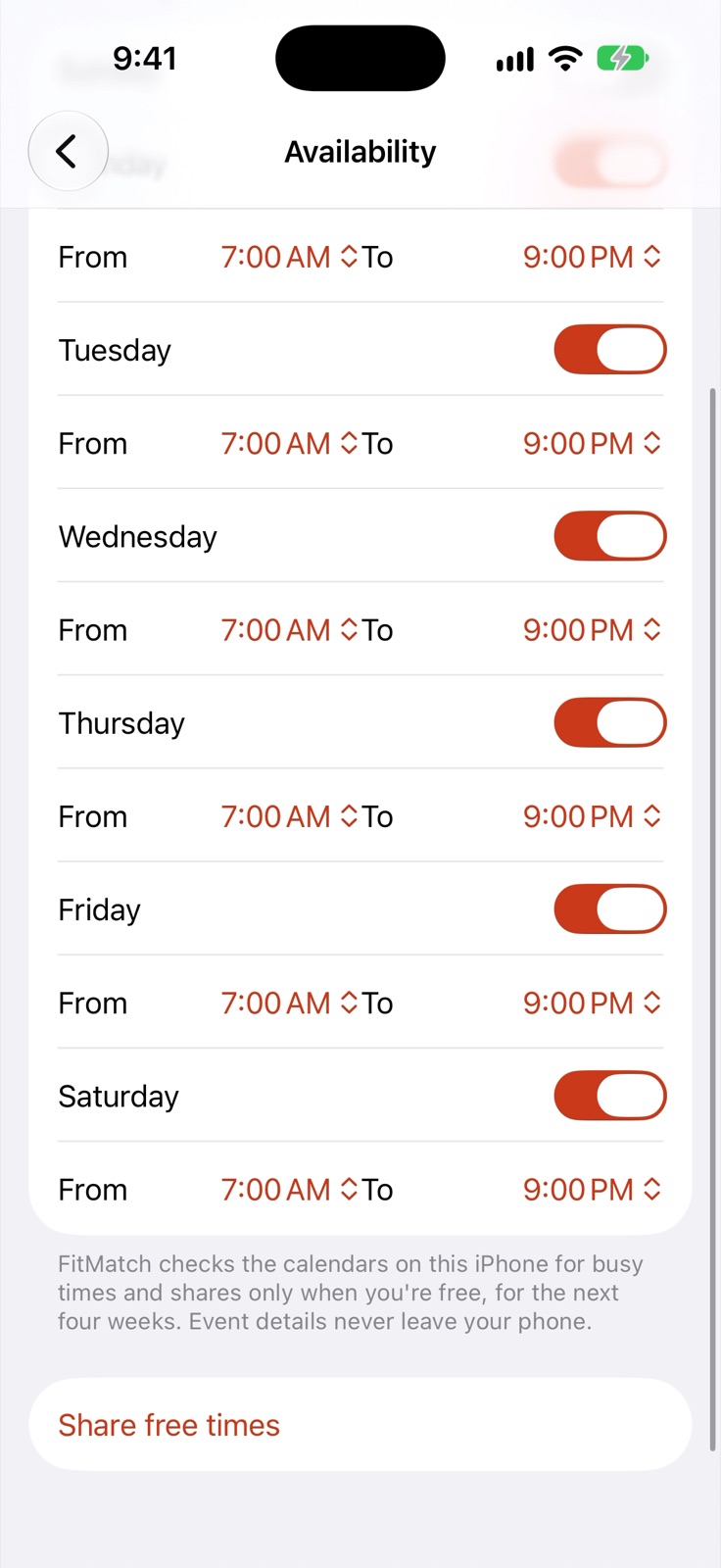
Want clients to see when you're free? FitMatch checks the calendars on your iPhone for busy times, and shares only your free times. Never your calendar.
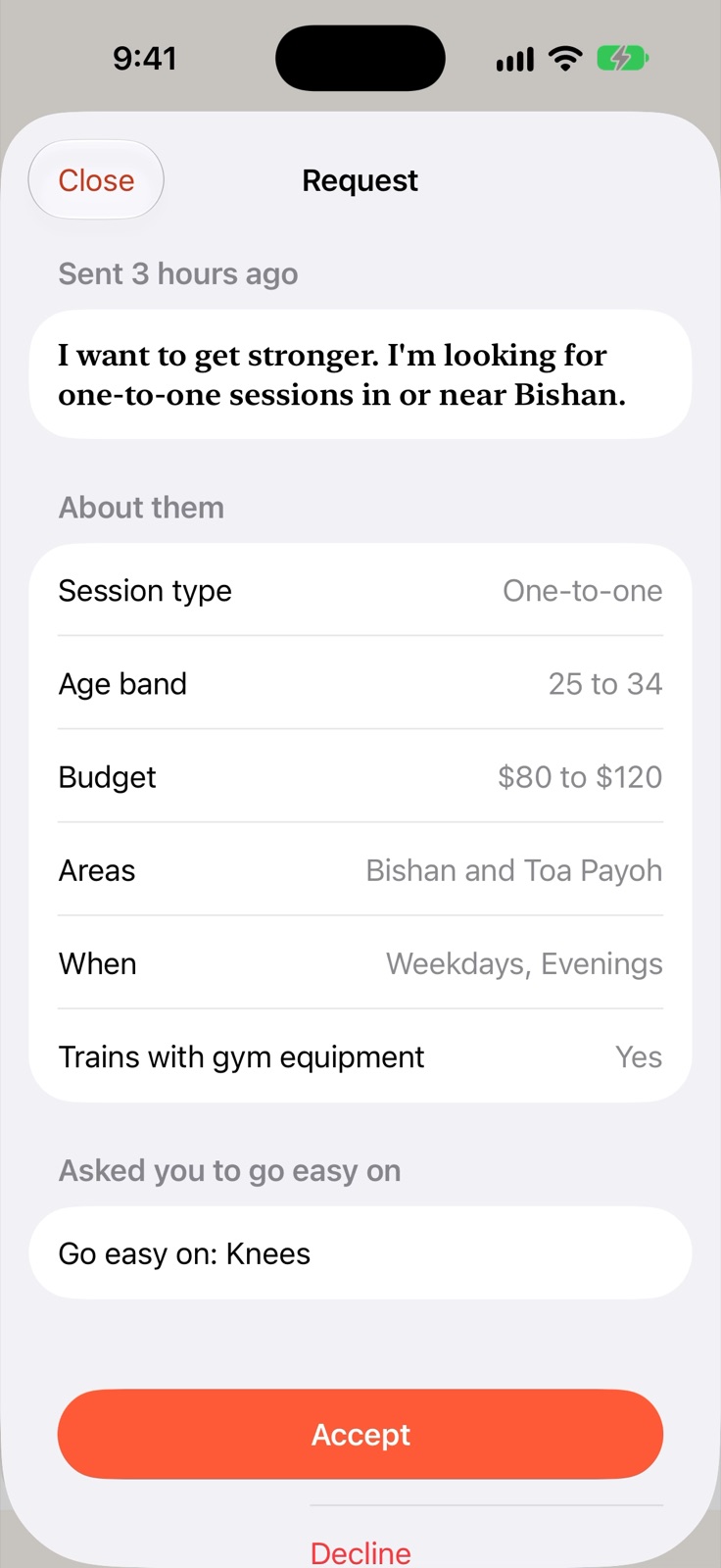
FitMatch writes your headline and bio from your answers. Change anything you like. Your words count, too. A language model on the client's iPhone matches what they're after with how you describe yourself.
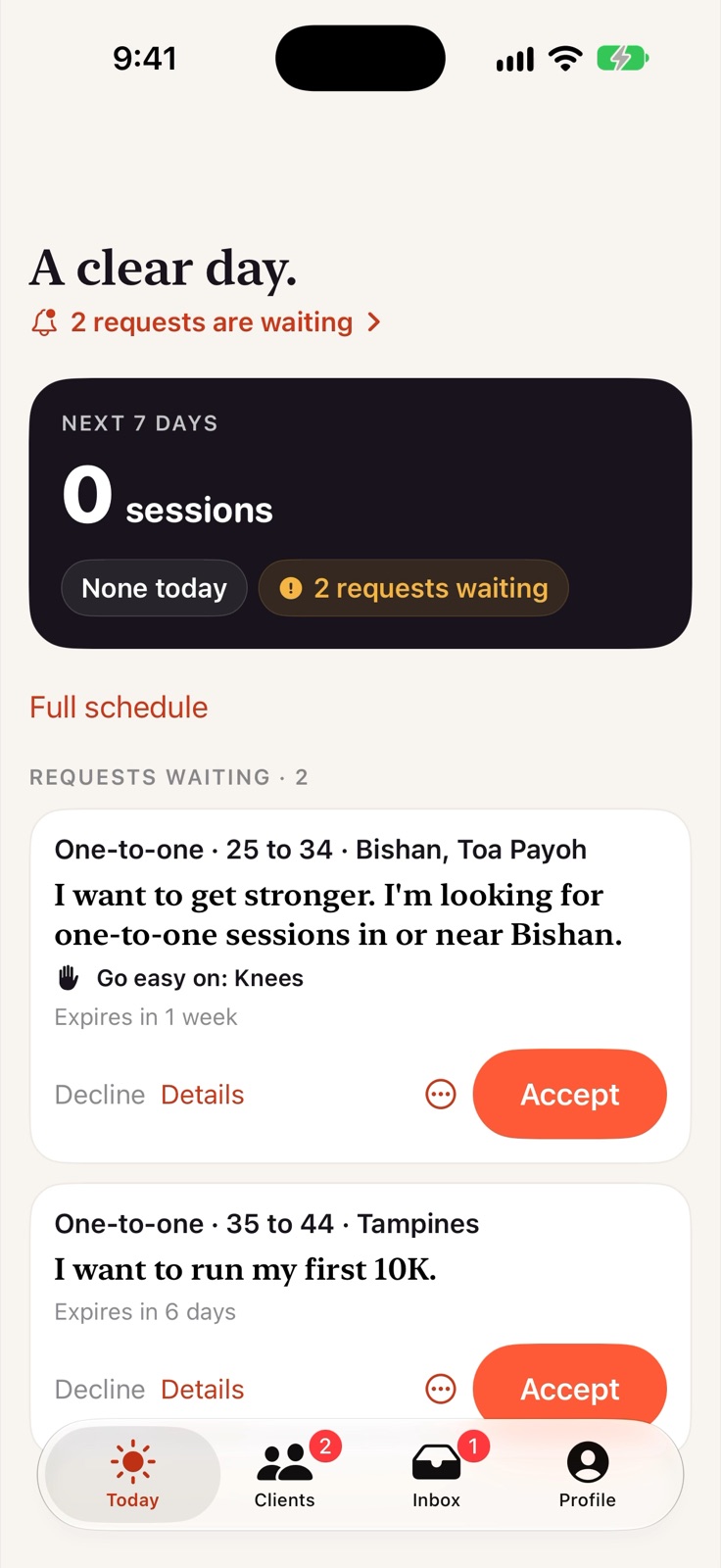
Now the good part. Today shows your next seven days and who's waiting for an answer.
Clients who match what you offer send you requests, and each one is ready to read. The goal, the areas, the days that suit… and anything to go easy on. Knees, in this case.
You choose who to take on. Not the right fit? Decline, politely. Accept, and FitMatch points you to the next step.
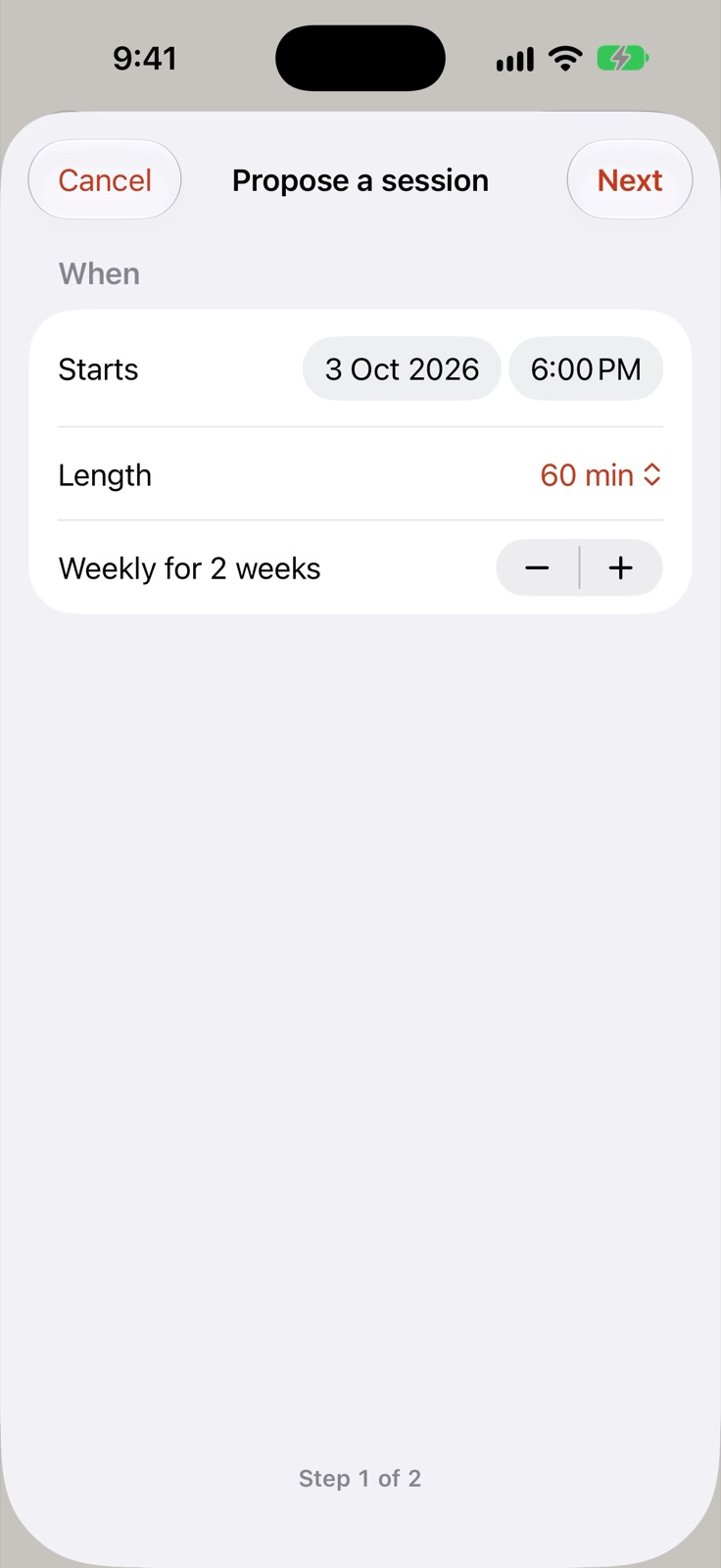
Propose a session. Pick a time, how many weeks it repeats, and the place. Your client accepts, or suggests a change.
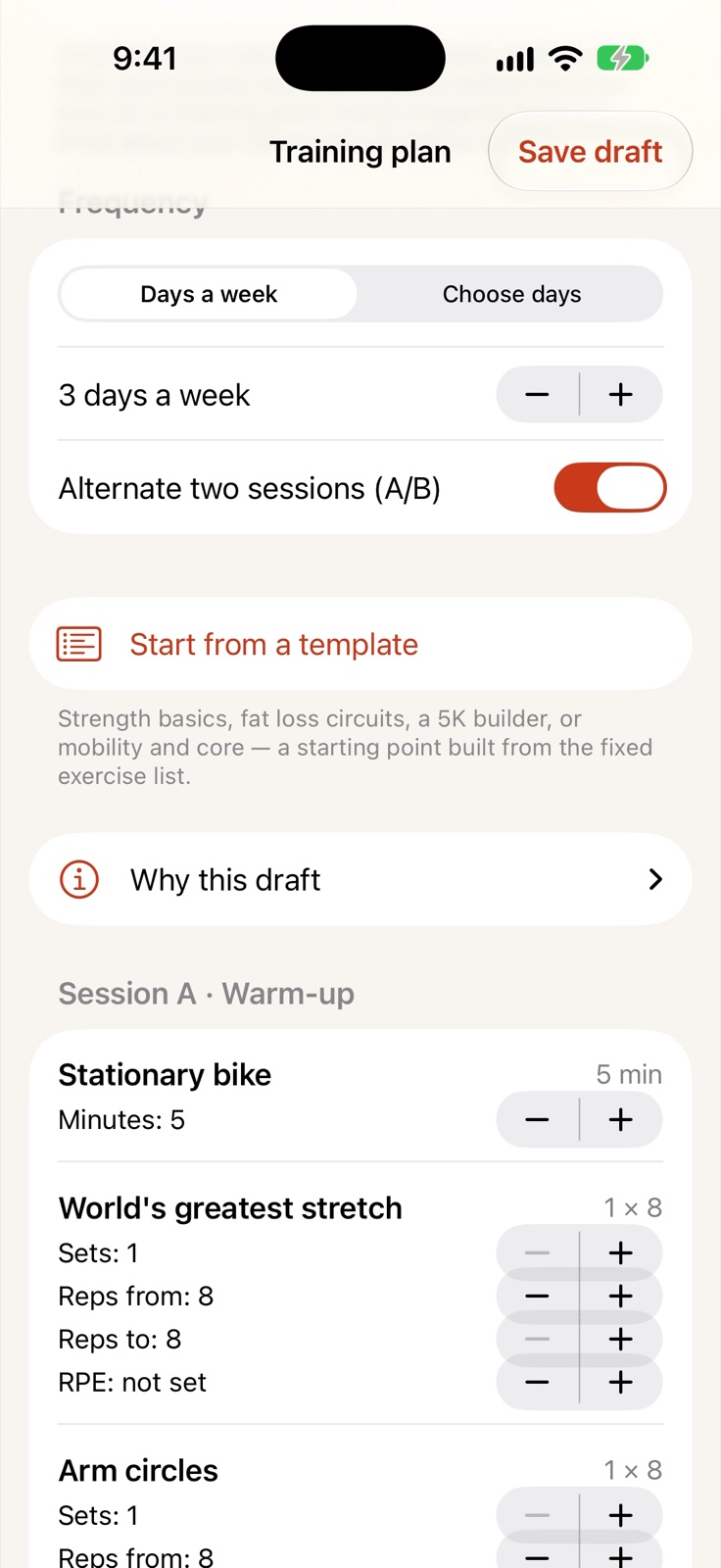
Then the plan. Tap Draft a plan for me, and FitMatch builds one from what your client shared, with a warm-up, the main work and a cool-down.
Why this draft shows how it was put together. It's a starting point. Change what you like, and send it when you're happy.
Every client gets one page for sessions, messages and their plan. Messages that break the guidelines aren't sent. And if your client chooses to share their workouts, you'll see how training's going… and adjust the plan.
Clients, sessions, plans and messages… all in one place. Your spreadsheet can finally retire.
FitMatch. Someone in your corner. Thirty days free… join the beta on TestFlight.
For trainers
Less chasing. More actual training.
FitMatch matches clients to trainers on what they want to work on, where they can train, the session type and their budget, so the requests you get come from people who already fit. Here's what happens next.
Clients who match you
Requests that are ready to read.
Clients who match what you offer send you requests. Each one shows the goal, the areas, the days that suit and anything to go easy on, like knees. You choose who to take on. Accept, and FitMatch points you to the next step.
Your profile
Five short steps, and your words count.
Say how you train and what you charge, pick what you specialise in, then where you train and your usual hours. FitMatch writes your headline and bio from your answers, and you change anything you like. A language model on the client's iPhone matches what they're after with how you describe yourself.
Free times
Your free times. Never your calendar.
Set your working hours, then share when you're free. FitMatch checks the calendars on your iPhone for busy times and shares only the free ones, for the next four weeks. Event details never leave your phone.
Sessions
A time and a place, agreed in a few taps.
Propose a session: the start, the length, how many weeks it repeats and the place. Add an offer for new clients, like a free thirty-minute intro. Your client accepts, or suggests a change.
Training plans
A first plan to start from.
Tap Draft a plan for me and FitMatch builds one from what your client shared, with a warm-up, the main work and a cool-down. Why this draft shows how it was put together. It's a starting point: change what you like, and it only goes to your client when you send it.
All in one place
Your spreadsheet can finally retire.
- Today shows your next seven days and who's waiting for an answer.
- Every client gets one page for sessions, messages and their plan.
- Messages that break the guidelines aren't sent.
- If a client chooses to share their workouts, you see how training's going and can adjust the plan.
- Clients pay you directly, outside the app. FitMatch is a subscription, not a cut of your sessions.
For clients
Find the right trainer nearby.
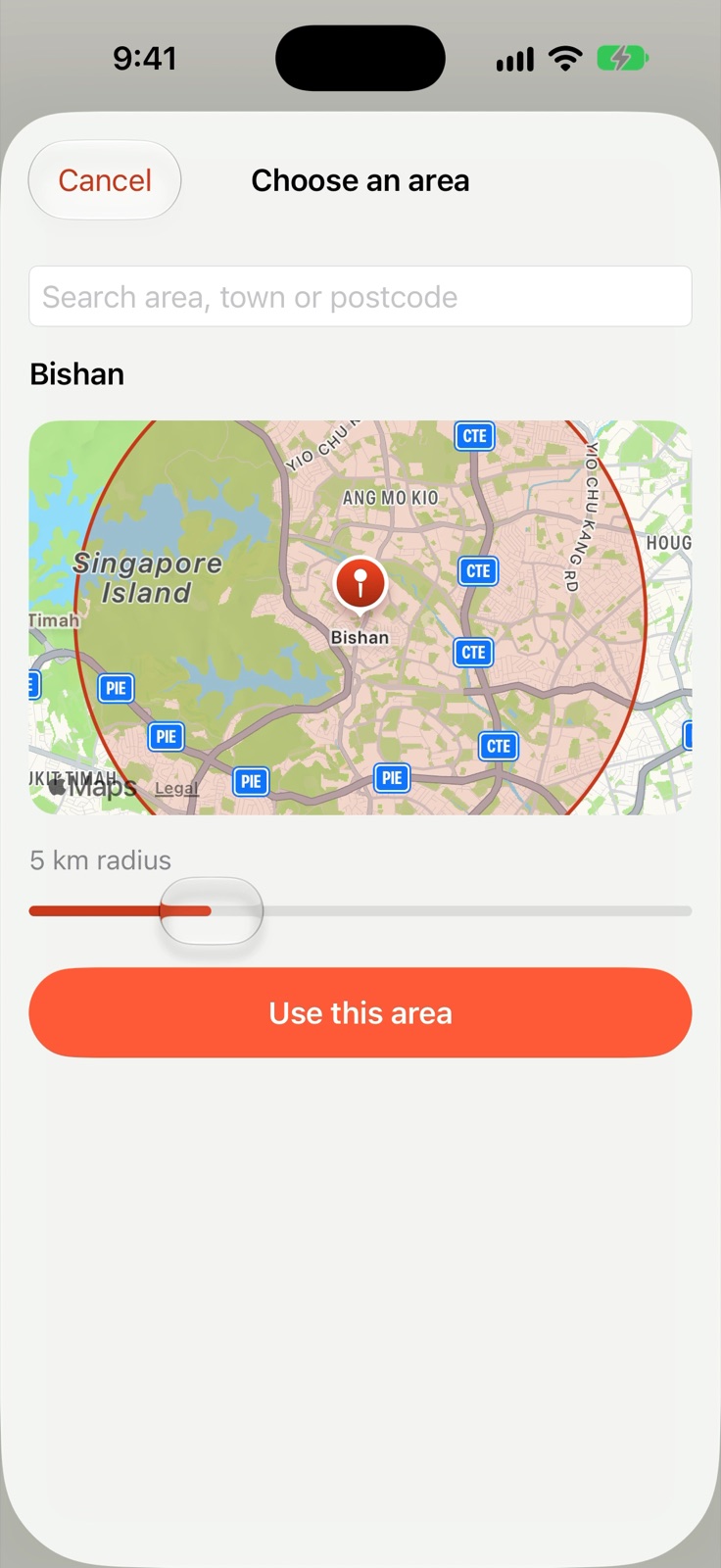
Say what you want, and where.
Pick your goals and how you like to train, then an area and how far you'll travel. It takes about a minute. Trainers only ever see the area's name.
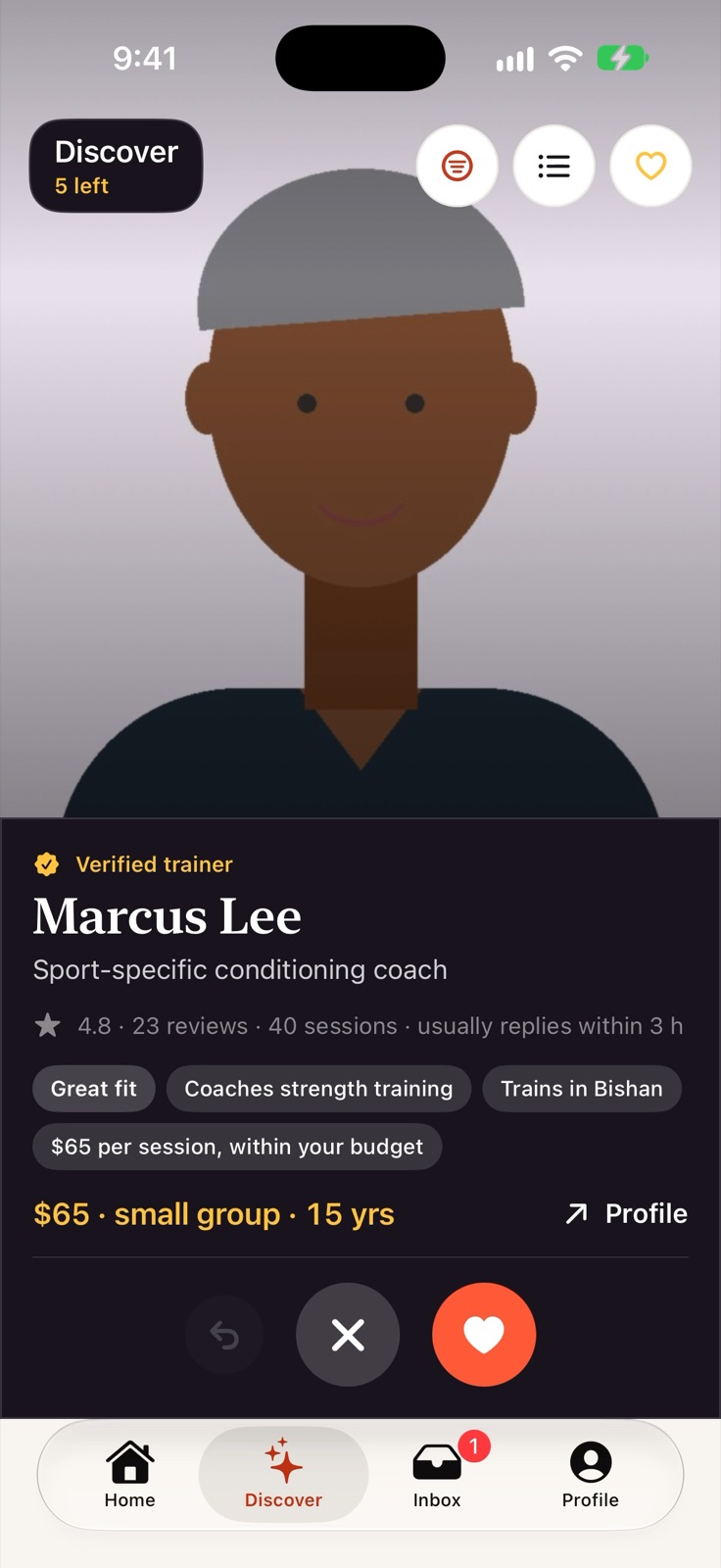
Swipe right on the trainer who fits.
Your matches come one at a time, and each says why it fits: what they coach, where they train and whether they're within your budget. Swipe right to choose, left to pass.
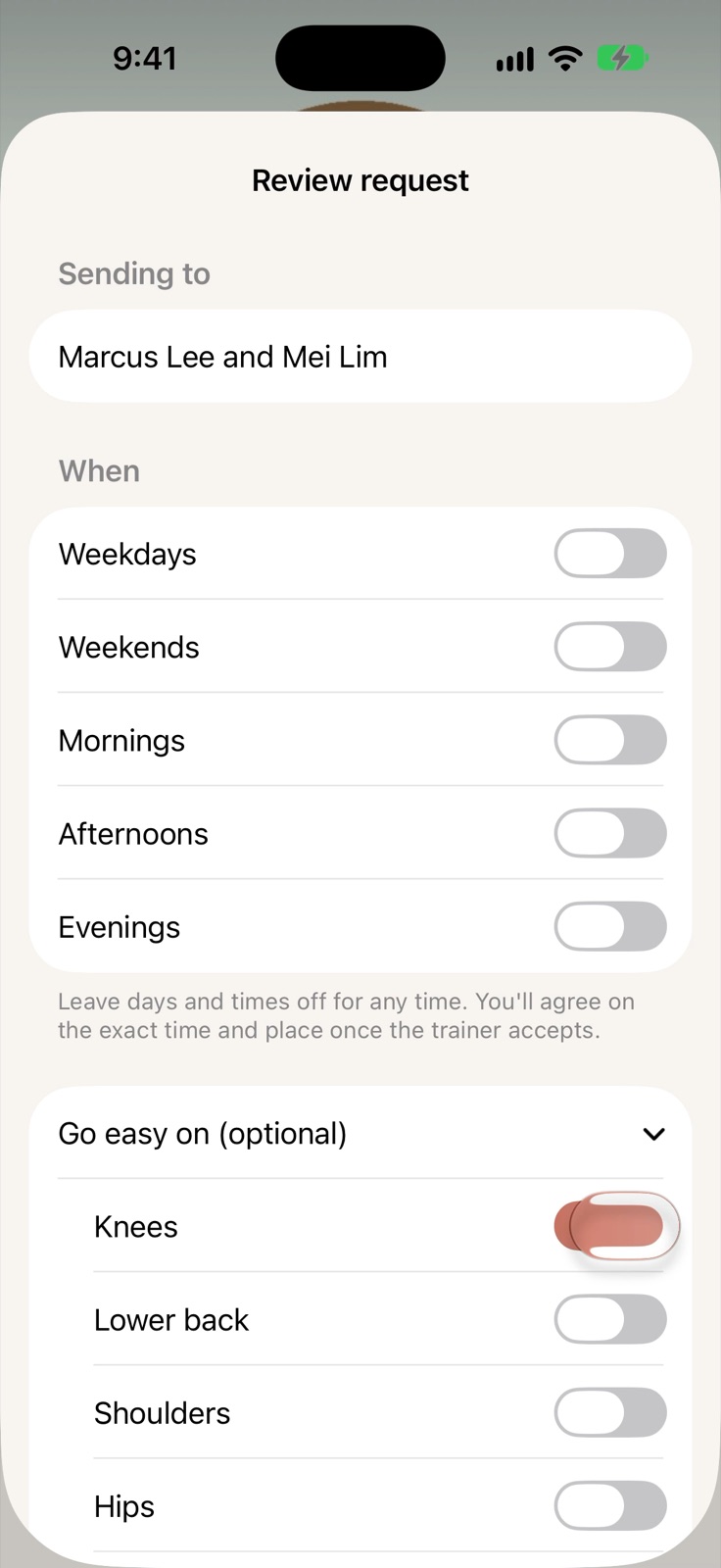
See exactly what they'll get.
Send one request to the trainers you chose. Before it goes, you see what they'll receive, and you tick anything they should go easy on. Only what you tick is shared, and never why.
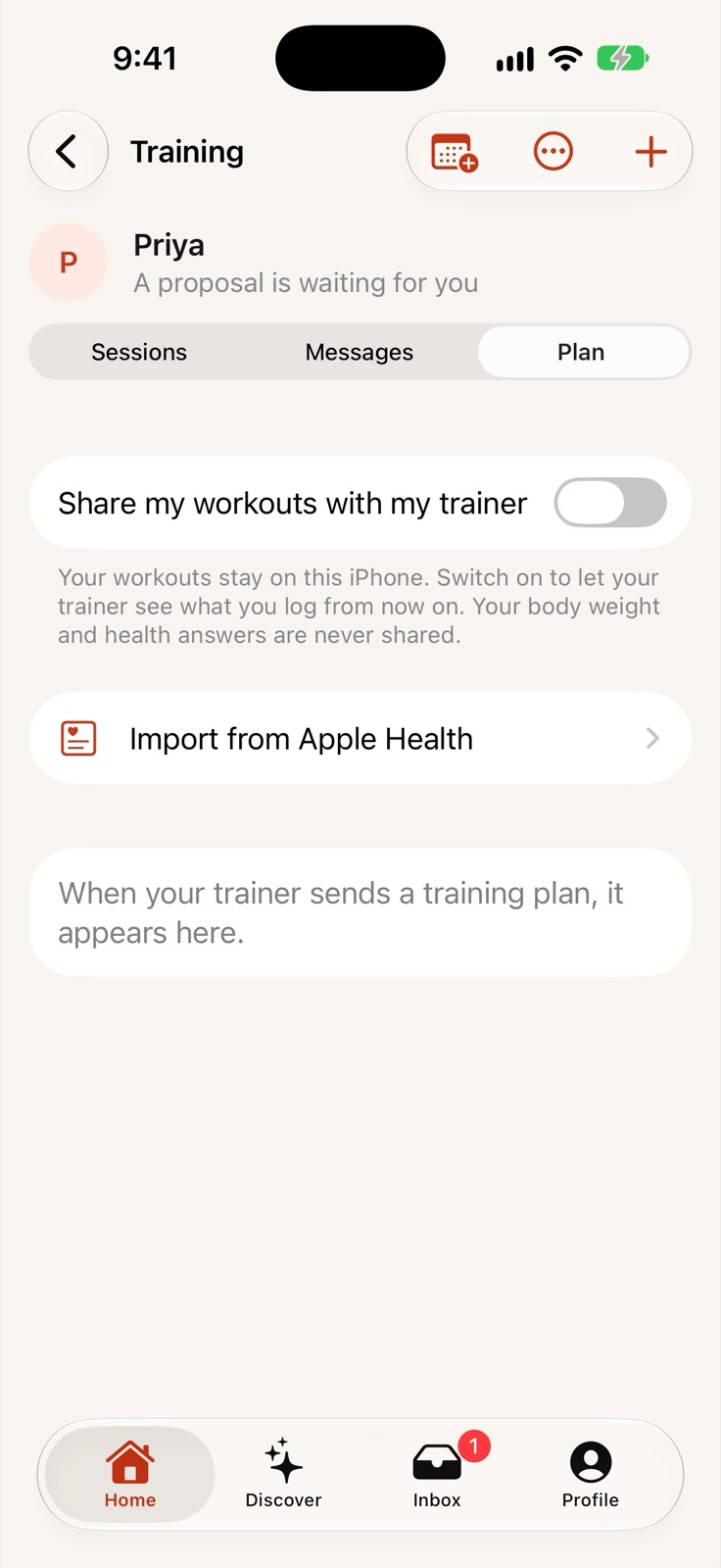
Your workouts, your call.
Log your workouts or bring them in from Apple Health. Share them with your trainer, or keep them completely private. Switch it whenever you like.
Shown with invented sample data. Narration is a synthetic voice.
Read the narration
Looking for a personal trainer? Start with your profile. Say what you want to achieve and how you like to train. It takes about a minute.
Then where. Pick an area and set how far you'll travel. Trainers only ever see the area's name.
Your matches come one at a time, and each says why it fits. Swipe right to choose… left to pass.
Send one request to the trainers you chose. You see exactly what they'll get, and you tick anything they should go easy on.
Once you're training, log your workouts. Share them with your trainer, or keep them completely private. It's your call.
Your health details stay on this iPhone. They're never sent to FitMatch, trainers or anyone else.
FitMatch. Someone in your corner. Thirty days free… join the beta on TestFlight.
Private by design
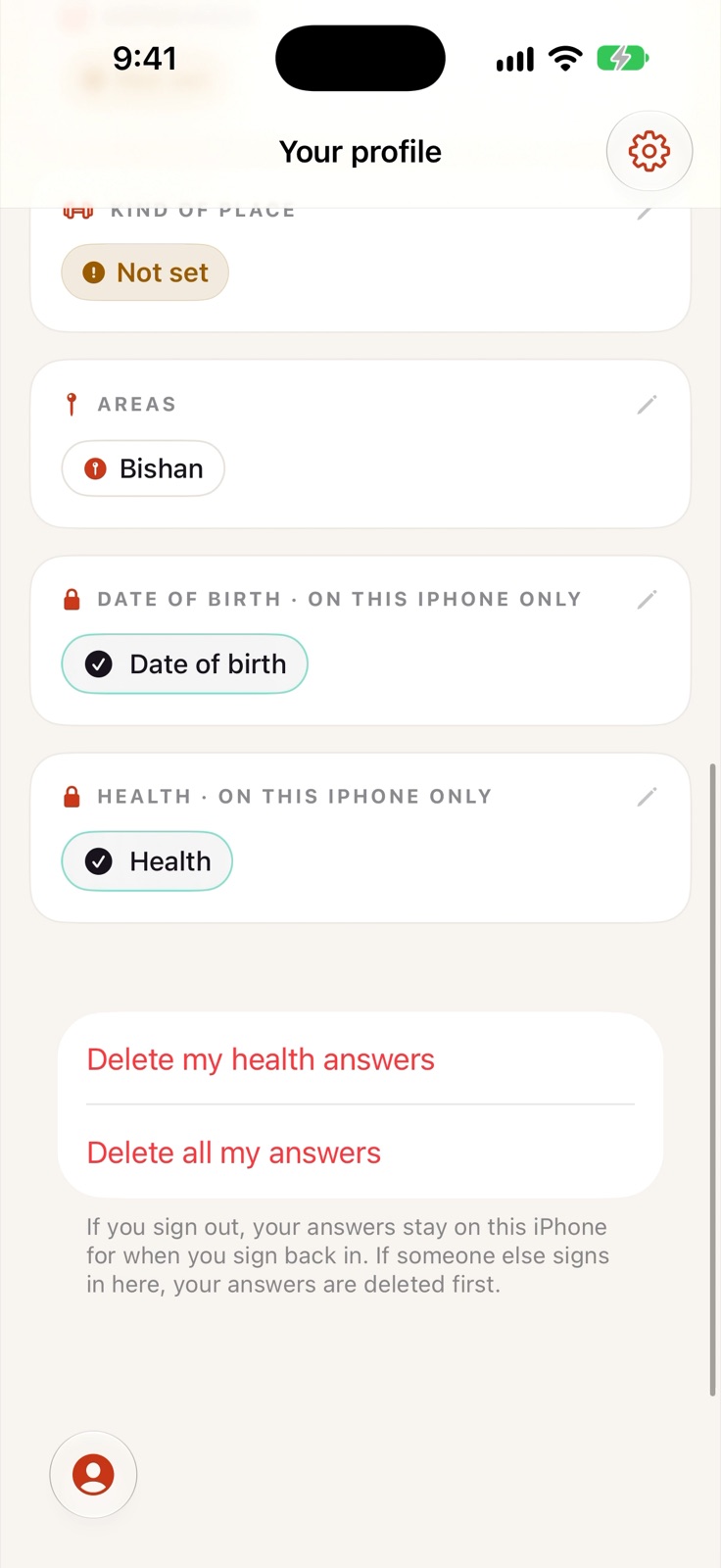
Health details stay on your iPhone.
- Your health details stay on this iPhone. They're never sent to FitMatch, trainers or anyone else.
- Trainers see your age range, like 25 to 34. Your date of birth stays on this iPhone.
- Trainers see the name of the area you picked, never where you are.
- Workouts stay on your iPhone unless you switch sharing on, and switching it off deletes everything shared.
- Matching runs on your iPhone, with Apple's on-device language model.
Questions
What people ask us.
+Who can use FitMatch now?
Trainers and clients in Singapore, on iPhone, through the public beta on TestFlight.
+Does FitMatch take a cut of my sessions?
No. Clients pay their trainer directly, outside the app. FitMatch is paid for by subscription, and every account starts with 30 days free.
+What does a trainer see about a client?
Only what the client approves on the request screen: a short description of their goals, one-to-one or group, their age range, the areas they picked, their budget range, the training details they choose, and anything they ask the trainer to go easy on. Never their health answers or date of birth.
+Where does AI come in?
Matching uses Apple's on-device language model to compare what a client wants with how a trainer describes themselves. It runs on the client's iPhone. Training plan drafts are built from rules, from what the client shared, and the trainer checks and edits every part before sending.
+Can clients keep their workouts private?
Yes. Workouts stay on the client's iPhone unless they switch sharing on for their trainer, and switching it off deletes everything shared.
Someone in your corner.
FitMatch is in public beta in Singapore. Trainers and clients get 30 days free. Join on your iPhone with TestFlight.
Join the beta on TestFlight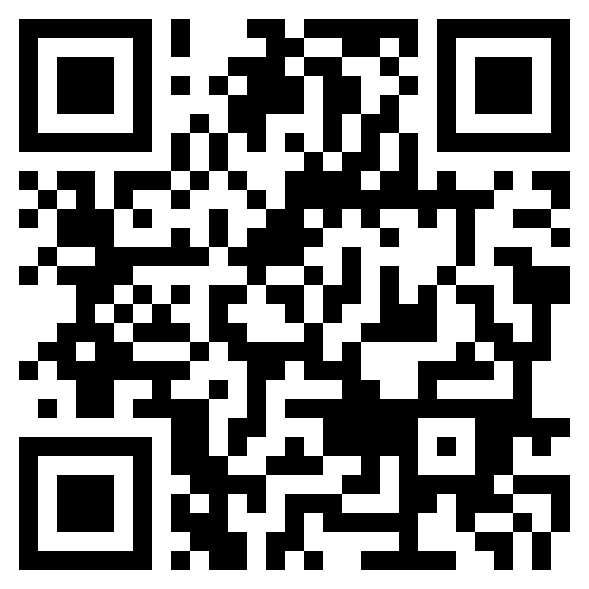
testflight.apple.com/join/JZJksuSa